

What’s on My Desk is Documentary’s strand of photo spotlights of the setups that help create the stories of our times. For these pieces, we ask editors in the field for essential tools of the trade and the accessories that help us do our best work.
There was a time when I was more enamored of gear: growing up watching DVD special features instilled in me a fascination with the machinery of filmmaking and a belief that the right equipment would be a marker of seriousness. Editing gearhead blogs shilled timesaving devices that promised to put me more physically in tune with the task of editing, yet these complicated knobs and multicolored button arrays never made me any faster than when I was limited to a standard keyboard and ergonomic mouse. A tangle of peripherals seems more like an exercise in marketing, designed to impress a director or client, than a shortcut to becoming Thelma Schoonmaker. After all, editing mostly takes place in the mind.
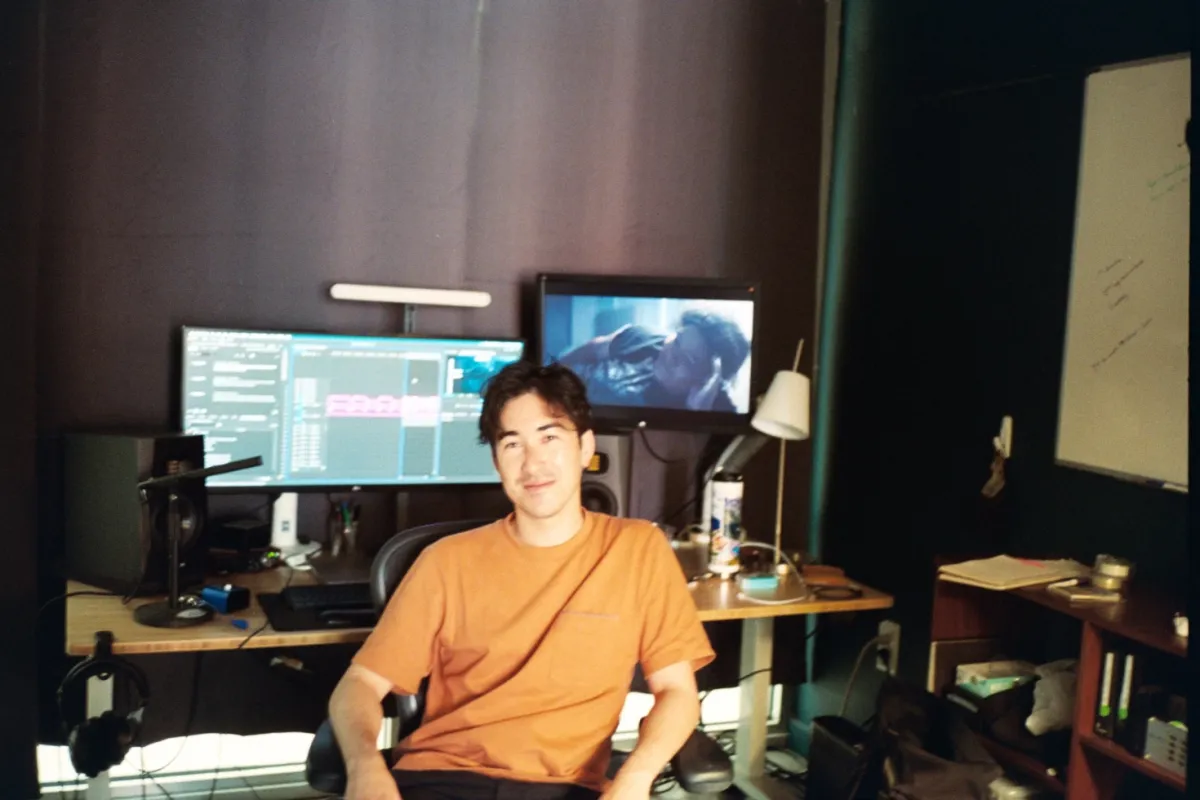
More appealing than a custom-built battle station is flexibility. I edit both documentaries and fiction films, and some of my work has taken me on location: I’ve edited out of a trailer, a minivan, McDonald’s booths, and a spare table in the office of a Mexican eco-resort. I once exported a film in California from the back seat of an Uber traveling from Glendale to a screening room in Century City. I find that a recent, fully featured MacBook Pro is ideal because it is modular, small and powerful enough to be a self-contained editing station on the go. But once I’m back in the office with more space, I simply connect it to a Thunderbolt dock that gives me access to the amenities of a proper editing suite.
Chief among those amenities is sound equipment. Hearing the film clearly is, for me, essential to experiencing it. A big part of the editor’s job is to interpret feedback from audiences, producers, and directors. Doing more sound work upfront removes one of the biggest barriers people experience while watching works in progress. Bad sound can ruin performances, undermine comprehension, and convey a general lack of care or skill. In contrast, even rudimentary sound design can evoke mood and create a sense of place, while making rough visual material more palatable. Because sound operates subtly, often subliminally, viewers are likely to fault many other aspects of the filmmaking before they consider that rough sound may be the root cause of their discomfort. I try to remove that variable and am rewarded with more useful feedback.
My editing suite is designed to favor sound without spending extravagantly. I have Adam Audio T5V monitors for playing work out loud and Beyerdynamic headphones for when I want to keep it to myself. The office I’ve worked out of for the past few years is a glass box with a brick ceiling; its reflective surfaces make it a miserable place to have a conversation, let alone watch a film. When I first moved in, I spent a lot of time acoustically treating my space, hanging heavy blackout curtains over the glass and placing a sound-absorbing pad under the rug, and it became much more pleasurable. Your sound equipment is only as good as its environment.
As important as what’s physically on an editor’s desk is their computer’s desktop, their software, and other digital resources. Premiere Pro has been my NLE of choice for the past seven years, and I keep my thoughts organized in Notion, an all-in-one solution that has fully replaced the profusion of index cards, handwritten notes, and spreadsheets I once used. I also carry around an SSD that contains a library of sound assets—effects and ambient sound recordings I’ve harvested from projects over the years, plus a growing library of temp music—as well as a standard toolkit of editing resources like my keyboard shortcuts, countdown leaders, mattes, film grain samples, Premiere timeline presets, and so on. It’s a growing resource that makes it easier to get started on a new project while reminding me of all of the projects I’ve already completed, a subtle form of encouragement that I crave at the beginning of every new undertaking.
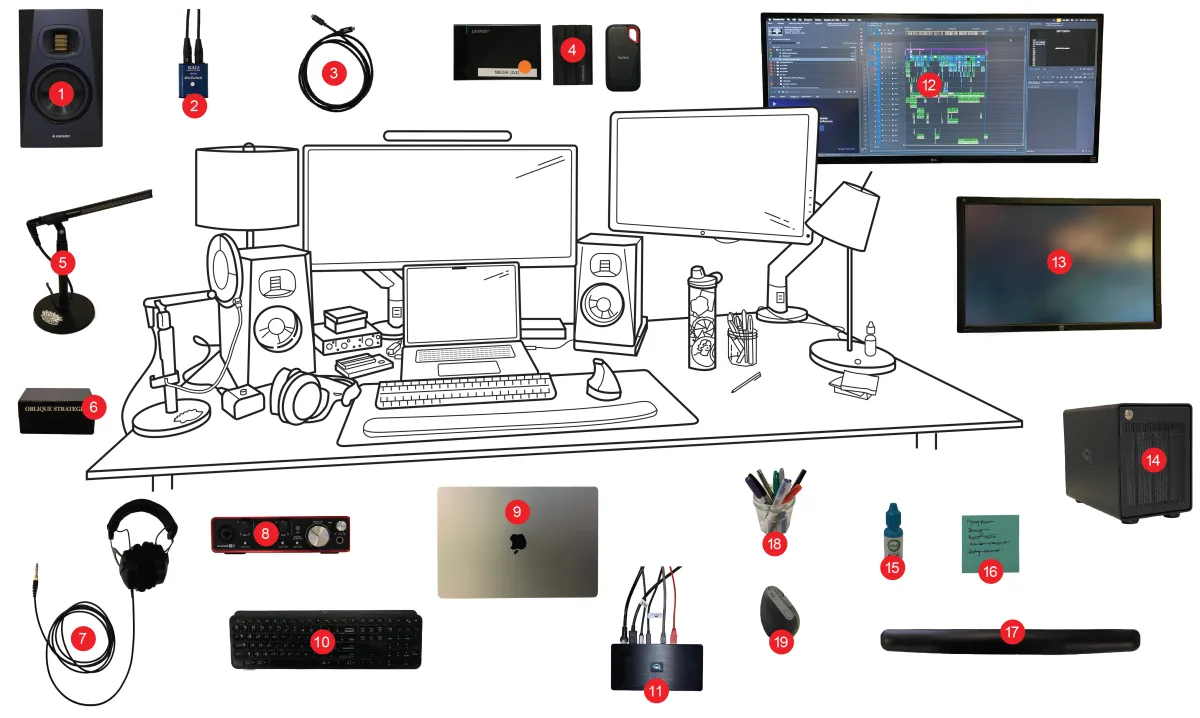
Annotated List
1. Two Adam Audio T5V audio monitors
(not pictured: Adam Audio T10S subwoofer)
2. Mic switch
3. Thunderbolt cable
4. Various SSDs
5. Sennheiser MKH416 shotgun mic with stand
6. Oblique Strategies card deck
7. Beyerdynamic DT 770 Pro headphones
8. Focusrite Scarlett 2i2 audio interface
9. MacBook Pro (M1 Max, with maxed out specs at the time, but a bit outdated!)
10. Logitech MX Keys keyboard
11. OWC Thunderbolt Pro Dock
12. LG ultrawide monitor
13. HP Z27x color-calibrated monitor
14. OWC Thunderbay 4 RAID hard drives
15. Eye drops
16. Post-it notes
17. Wrist pad
18. Various pens
19. Logitech MX Vertical ergonomic mouse

Remote editing station.
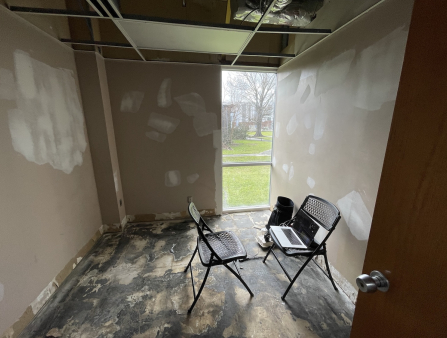
Improvised editing room.
This piece was first published in Documentary’s Spring 2026 issue.